It’s 11 p.m. You just got home from a long day of meetings, client calls, and errands. Your bag is full of crumpled receipts. Your bank app shows ten transactions you don’t remember making. And now you have to sit down, open a spreadsheet, and type every single expense in, one by one.
Sound familiar?
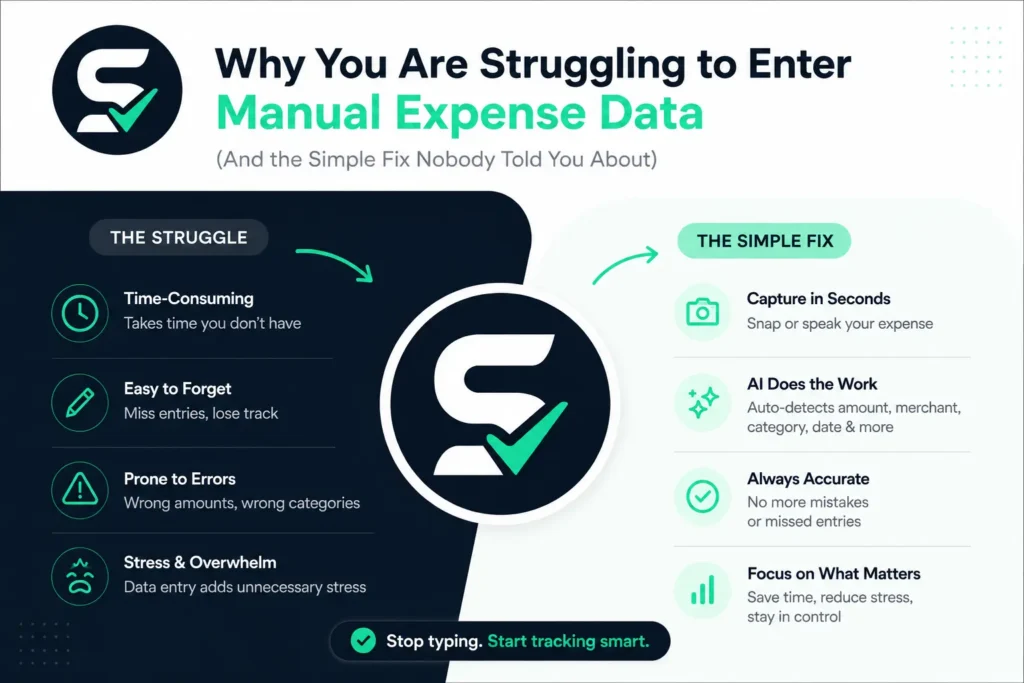
If you’ve ever tried to track your spending by hand, you already know the truth: manual expense entry is exhausting. It eats your time, it’s full of mistakes, and most people give up on it within a few weeks. This isn’t because you’re lazy or bad with money. It’s because manual entry was never designed for how busy modern life actually works.
In this article, we’ll break down exactly why manual expense tracking fails so many people, what it’s really costing you, and how a smarter tool called Spenza AI is changing the way people log expenses — using nothing more than a photo or their voice.
The Real Reason Manual Expense Entry Feels So Hard
Let’s be honest. Typing numbers into a spreadsheet doesn’t sound difficult. But when you actually try to do it every day, several problems show up fast.
1. It Takes Too Much Time
Every receipt, every transaction, every category — you have to type it all out. Multiply that by every coffee, every gas fill-up, every business lunch, and every online order, and suddenly expense tracking has become a second job. Most people don’t have an extra hour a day to sit and log numbers.
2. Receipts Get Lost or Faded
Paper receipts are fragile. They fade in your wallet, get crumpled in your bag, or simply vanish before you get a chance to enter them. By the time you sit down to do your expense report, half the information is already gone.
3. Human Error Creeps In
Manual data entry is one of the most error-prone tasks there is. A missed decimal point, a wrong category, a typo in the amount — small mistakes pile up and mess with your budget or your business books. Over a year, these little errors can add up to a real financial headache.
4. It’s Boring, So You Procrastinate
Nobody wakes up excited to type expenses into a spreadsheet. Because the task feels tedious, most people put it off. And once expense logging is delayed by even a few days, memory starts to fade, receipts pile up, and the whole task becomes even more overwhelming.
5. Spreadsheets Don’t Talk to Your Bank or Wallet
Most manual expense trackers live in isolation. Your spreadsheet doesn’t know what’s in your bank account. Your notebook doesn’t know what you paid in cash yesterday. You’re the only bridge between these systems, and that means you’re doing all the heavy lifting yourself.
6. Categorizing Expenses Is a Guessing Game
Was that Amazon order for office supplies or personal use? Was that dinner a client meeting or a family outing? Manual entry forces you to remember context you may have already forgotten, which leads to messy, inconsistent categorization.
7. It Doesn’t Scale
If you’re managing expenses for just yourself, manual tracking is already hard. Now imagine doing it for a team, a small business, or multiple projects. The workload multiplies, and one person trying to manually enter everyone’s expenses becomes nearly impossible to sustain.
The Hidden Cost of Manual Expense Tracking
People often underestimate how much manual expense entry actually costs them. It’s not just about time. Here’s what’s really at stake:
- Lost deductions. Missing receipts often mean missing tax write-offs.
- Budget blind spots. If you’re not logging expenses consistently, your budget is based on incomplete data.
- Delayed reimbursements. Employees who dread manual entry often submit expense reports late, which slows down reimbursement and frustrates everyone involved.
- Mental fatigue. Constantly worrying about “did I log that?” adds unnecessary stress to your day.
- Poor financial decisions. Without accurate, up-to-date numbers, it’s hard to make smart choices about spending, saving, or investing.
In short, manual expense entry doesn’t just cost you time — it quietly costs you money, accuracy, and peace of mind.
Why Most Expense Tracking Apps Still Don’t Solve the Problem
Over the years, plenty of expense tracker apps have tried to fix this. Most of them still require you to:
- Manually type the amount
- Manually select a category
- Manually upload or attach a receipt photo
- Manually review and confirm every entry
Even though these apps look modern, they often just move the same manual work from paper to a screen. You’re still the one doing the typing. You’re still the one remembering the details. The core problem — human effort — never really goes away.
This is exactly the gap that a new generation of AI-powered expense tools is designed to close.
Meet Spenza AI: Expense Tracking That Works the Way You Actually Live
Spenza AI was built around one simple idea: expense tracking should take seconds, not minutes.
Instead of forcing you to type every detail by hand, Spenza AI lets you capture your expenses the way you naturally interact with your phone — through a photo or your voice. No spreadsheets. No manual category selection. No typing out every line item from a receipt.
Here’s how it works.
1. Snap a Photo, Done
Got a receipt? Just take a picture of it. Spenza AI reads the receipt automatically, pulling out the amount, the merchant name, the date, and even the items purchased. It then sorts the expense into the right category for you. What used to take five minutes of typing now takes about five seconds.
2. Speak It, and It’s Logged
Sometimes you don’t even have a receipt — like when you pay cash for parking or split a bill with a friend. With Spenza AI, you can simply say something like, “I spent twelve dollars on lunch,” and the AI understands it, logs the amount, assigns a category, and adds it to your expense history instantly. It’s as easy as talking to a friend.
3. All Your Expenses in One Place
Whether it came from a photo, a voice note, or a connected account, every expense lands in one clean, organized dashboard. You get a real-time view of your spending without lifting a finger to organize it yourself.
4. Smart Categorization That Learns You
Spenza AI doesn’t just dump your expenses into generic categories. It learns your habits over time — recognizing your regular coffee shop, your usual grocery store, your recurring subscriptions — and categorizes future expenses more accurately the more you use it.
5. Instant Expense Reports
Need to submit a report for work or review your monthly spending? Spenza AI generates clean, ready-to-share expense reports automatically, saving you the hassle of building them from scratch.
Who Benefits Most from Photo and Voice Expense Tracking
Freelancers and Solopreneurs
If you’re running your own business, you’re already wearing ten different hats. You don’t have time to manually enter every expense between client work. Snapping a photo or saying a quick voice note lets you stay focused on your actual work while still keeping clean financial records for tax season.
Small Business Owners
Every dollar matters when you’re running a small business. Spenza AI helps you capture expenses on the go — whether it’s a supply run, a client dinner, or a quick cash purchase — so nothing slips through the cracks at tax time.
Remote and Traveling Employees
For employees who travel often or work remotely, expense reports can pile up fast. Voice and photo capture make it easy to log expenses the moment they happen, instead of trying to remember them days later.
Everyday Budgeters
Even if you’re not running a business, keeping a personal budget is easier when logging an expense takes five seconds instead of five minutes. People are far more likely to stick with a habit that’s simple and quick.
Teams and Finance Departments
For companies managing multiple employees’ expenses, AI-powered capture reduces the back-and-forth of missing receipts, incorrect categories, and late submissions. Everyone logs expenses faster, and finance teams get cleaner data to work with.
Manual Entry vs. Spenza AI: A Side-by-Side Look
| Task | Manual Entry | Spenza AI |
|---|---|---|
| Logging a receipt | Type amount, date, category by hand | Snap a photo — done instantly |
| Logging a cash expense | Remember it later and type it in | Say it out loud, instantly logged |
| Categorizing expenses | Manually choose every time | AI auto-categorizes and learns your habits |
| Time per expense | 2–5 minutes | A few seconds |
| Risk of errors | High (typos, missed entries) | Low (AI reads data directly) |
| Expense reports | Built manually | Generated automatically |
| Consistency | Often abandoned after a few weeks | Easy enough to stick with long-term |
Simple Habits to Build Better Expense Tracking (Even Before You Try Spenza AI)
While AI tools like Spenza make this process dramatically easier, a few habits can help no matter what method you use:
- Log expenses the same day. The longer you wait, the more details you forget.
- Keep your phone camera ready. A photo of a receipt takes less effort than saving the paper copy.
- Review your spending weekly, not just monthly, so nothing feels overwhelming.
- Separate personal and business expenses from the start to avoid confusion later.
- Use voice notes for small cash purchases that don’t come with a receipt.
These habits, combined with a tool that captures expenses automatically, take almost all the friction out of expense tracking.
Frequently Asked Questions
Is Spenza AI accurate when reading receipts?
Yes. Spenza AI is designed to read key receipt details — amount, merchant, date, and items — directly from the photo, reducing the manual work and minimizing typing errors.
What if I don’t have a receipt at all?
That’s exactly what the voice capture feature is for. Just describe the expense out loud, and it gets logged instantly.
Can Spenza AI handle both personal and business expenses?
Yes, expenses can be organized and categorized separately, making it easier to track personal budgets and business spending side by side.
Do I still need spreadsheets?
No. Spenza AI replaces the need for manual spreadsheets by organizing everything for you and generating reports automatically.
Manual expense entry isn’t hard because you’re doing something wrong. It’s hard because typing every detail by hand was never a sustainable system in the first place. Between lost receipts, forgotten transactions, and the sheer boredom of data entry, it’s no wonder so many people give up on tracking their spending altogether.
The good news is that you don’t have to choose between “track everything by hand” and “track nothing at all.” With Spenza AI, expense tracking becomes as simple as taking a photo or saying a sentence. No spreadsheets. No guesswork. No wasted evenings typing out receipts.
If manual expense entry has been draining your time and patience, it might be time to let AI do the heavy lifting — so you can spend less time logging expenses, and more time actually living your life.